5 Lifeline Phone Application Mistakes That Stop Your Monthly Benefits
Discover the five common paperwork and eligibility errors that cause federal phone program rejections and how to fix your application fast.
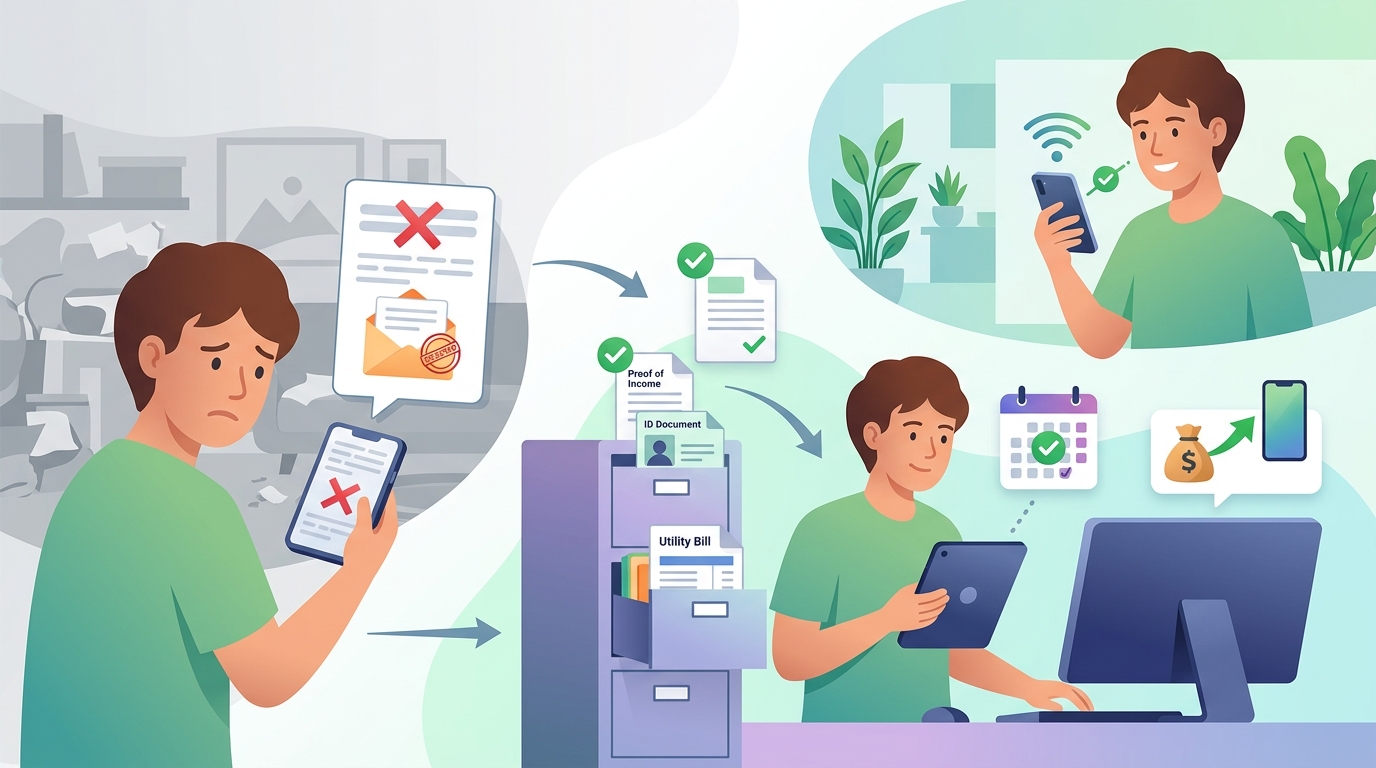
Understanding federal communications support programs can lower your monthly phone expenses significantly, but a minor application error can result in an immediate rejection. By reviewing the specific rules set by federal administrators, you can avoid disqualification and secure your monthly service discount smoothly.
Mistake 1: Submitting Names or Addresses That Do Not Match Legal Records
A primary reason applications get rejected by the Universal Service Administrative Company (USAC) is a mismatch between the full legal name or address submitted on the application and official government records (Source 1). If you use a nickname, drop a middle name, or list a temporary mailing address instead of your primary residence, the National Verifier system cannot automatically match your identity (Source 1). The Federal Trade Commission notes that official verification systems cross-reference state and federal databases, meaning exact spelling and accurate details are mandatory for automated processing (Source 2). Always enter your legal name exactly as it appears on your Social Security card, state driver's license, or official benefit statement (Source 1). If your residence lacks a standard street address, you must provide descriptive map coordinates or an approved address location form rather than a P.O. Box (Source 1). The next section breaks down the specific income limits required for qualifying through household earnings.
Mistake 2: Missing the 135% Federal Poverty Guideline Threshold
Applicants who apply under the income eligibility pathway must prove that their total household gross income is at or below 135% of the Federal Poverty Guidelines (Source 1). A common error occurs when applicants calculate net income instead of gross income, or fail to account for all income earners in the household (Source 1). The total dollar amount varies depending on household size and location, with higher income thresholds set for residents of Alaska and Hawaii (Source 1). To verify income, you must provide official documents such as prior year state or federal tax returns, three consecutive current pay stubs, or an official statement of benefits from Social Security (Source 1). Submitting a single pay stub or an informal letter from an employer will lead to an immediate delay or denial (Source 1). Keep reading to discover how household rules impact individual family members living under one roof.
Mistake 3: Attempting to Claim Multiple Discounts for One Household
Federal regulations strictly limit the Lifeline discount to one benefit per economic household, rather than one per individual person (Source 1). An economic household is defined as any individual or group of individuals who live together at the same address and share income and household expenses (Source 1). If two family members living together apply separately for individual phone discounts, both applications will be flagged as duplicates and rejected (Source 1). However, adults who live at the same physical address but maintain separate finances—such as residents of nursing homes, homeless shelters, or roommates who do not share income—can qualify individually by filling out an official Household Worksheet (Source 1). The FTC advises consumers to be cautious of third-party promoters who claim that every individual in a household can receive a separate device (Source 2). Up next, we examine which specific benefit award documents are accepted by the National Verifier.
Mistake 4: Uploading Incomplete or Unaccepted Proof Documentation
When applying through qualifying assistance programs like SNAP, Medicaid, Supplemental Security Income (SSI), or Veterans Pension, applicants must submit official documentation showing active participation (Source 1). A common mistake is submitting an application confirmation page, a screenshot of a mobile app, or an expired benefit card (Source 1). The National Verifier requires an official award letter, benefit statement, or verification letter that includes your full legal name, the name of the qualifying program, the issuing agency, and a clear date showing current eligibility (Source 1).
| Program Participation | Official approval letter, benefit statement | Mobile app screenshot, expired benefit card |
|---|---|---|
| Income Proof | Prior year tax return, 3 consecutive pay stubs | Single pay stub, bank deposit notice |
| Identity Proof | Driver's license, passport, state ID | Employee badge, credit card photo |
| Address Verification | Utility bill, lease agreement, mortgage statement | P.O. Box receipt, general junk mail |
Ensuring all four corners of the document are visible in uploaded images prevents automated system rejections (Source 1). The next section details the strict annual requirement that catches existing participants off guard.
Mistake 5: Failing to Complete the Annual Recertification Process
Receiving approval for a Lifeline phone benefit is not a permanent status. Program rules mandate that every participant must recertify their eligibility once every 12 months (Source 1). USAC contacts subscribers via mail, email, or text message when their recertification window opens, providing a 60-day window to respond (Source 1). If you change your phone number or email address without updating your contact information in the Lifeline portal, you may miss this notification and be automatically de-enrolled (Source 1). If you fail to recertify within the allotted 60 days, your service discount will end, and you must start a brand-new application from the beginning (Source 1). The Federal Trade Commission warns consumers to ensure recertification messages originate directly from Lifeline or their authorized provider to avoid phishing scams (Source 2).
How to Reapply and Track Your Lifeline Application Status
If your initial application is rejected or de-enrolled, you can correct the errors and resubmit your documentation through the official online portal (Source 1). Log in to the National Verifier website to view the specific reason for your denial (Source 1). If the denial was caused by a document error, upload a clear, full-page copy of the correct document that addresses the flagged issue (Source 1). For address errors, complete the official address mapping tool or submit a signed Household Worksheet (Source 1). Tracking your status online allows you to resolve issues within the required time limits without losing your place in the processing queue (Source 1).
Summary of Lifeline Program Rules and Household Allowances
| Household Limit | 1 benefit per economic household | Must fill out Household Worksheet if sharing an address with other adults |
|---|---|---|
| Income Threshold | 135% or lower of Poverty Guidelines | Requires gross income verification documents covering full household |
| Program Pathways | SNAP, Medicaid, SSI, FWP, Veterans Pension | Must provide official active benefit documentation |
| Recertification | Annual (every 12 months) | Must respond to renewal notices within 60 days |
Frequently Asked Questions
Can I get both a landline and a mobile discount through Lifeline?
No. Federal rules restrict the Lifeline benefit to one discount per economic household, which can be applied to either wireline (landline) or wireless (mobile) service, but not both (Source 1).
What happens if my income or program participation changes during the year?
If you no longer meet the eligibility requirements or if someone else in your household receives a Lifeline benefit, you are legally required to notify your provider within 30 days to de-enroll from the program (Source 1).
Is there an application fee to apply for Lifeline?
No. Applying for Lifeline through the official National Verifier is entirely free, and the FTC advises caution against any third-party website charging a fee to process your application (Source 2).
Sources
- Lifeline Support for Affordable Communications — Universal Service Administrative Company
- FTC Consumer Advice — Federal Trade Commission
This article is for general information only and is not professional advice. Figures come from public sources and change over time; check the official source before you act.
More from Daily Facts Wire
- 5 Lifeline Phone Application Mistakes That Stop Your Monthly Benefits
- 7 Income Rules That Qualify You for a Free Smartphone Today
- The 4.5GB Smartphone Data Secret Millions Miss Each Month
- Get Your Free Smartphone Through Federal Lifeline and Meta Promo Rules
- 4 Costly Mistakes People Make Claiming Free Phones On Facebook
- The $35 Hidden Activation Fee Inside Free Meta Phone Offers